
Operational Scheduling
Operational scheduling helps you refine a mid-term schedule for operations.
In Studio OP, you can optimise the production required from available blocks, mining faces, or blasts across multiple shifts. You can then schedule and blend material across one or more time periods while honouring operational requirements.
- You can schedule and blend from mining blocks across one or more time periods while honouring operational requirements.
- You can select and view results, then schedule them into the current time period, with full access to standard reports.
- If your mine has short-term blending requirements from multiple production sources, you can use Studio OP to support this workflow.
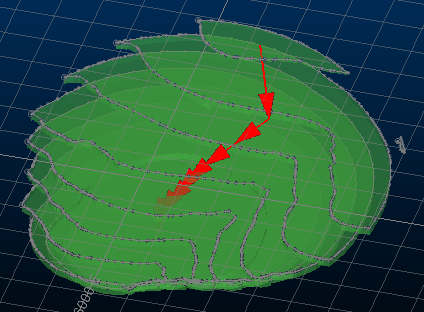
An example of miing block dependencies used in operational scheduling
Key capabilities
The Schedule ribbon contains commands relating to operational scheduling, and includes the following general functionality.
- Multiple destinations and processing methods. You can define any number of destinations.
- Selective mining. You can mine selectively, allowing different proportions of material from each mining block.
- Block preferences. When blending, you can set blocks to be preferentially mined, or mined later, to suit your schedule.
- Stockpiles and external sources. You can mine to and reclaim from any number of stockpiles, and also use material from external sources to meet production requirements.
- Automatic optimised blending. You can automatically determine the extraction required from selected mining blocks or stockpiles to meet targets.
- Visual feedback. Dynamically updated graphs provide instant feedback on the current schedule.
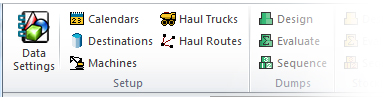
Schedule ribbon commands are only available when they are ready to be used. They remain disabled if prerequisite information is missing.
